
Milwaukee® Pipeline Inspection
Milwaukee ToolHouse & Home
3.514.00 Reviews
- Version
- 2.1.2
- Installs
- 10.00K
- Age Rating
- Everyone
Screenshots


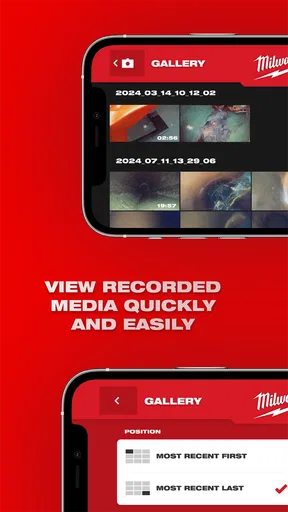
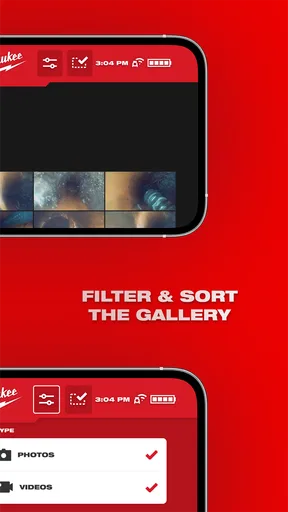
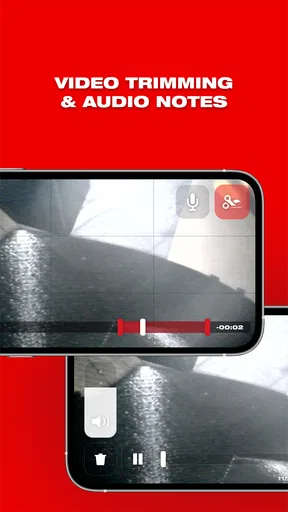
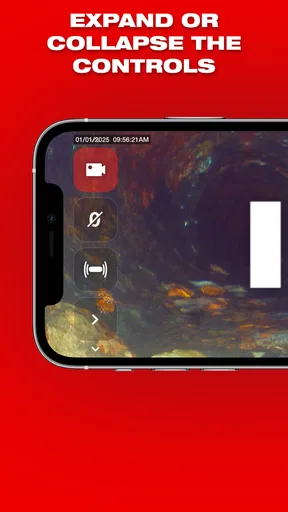
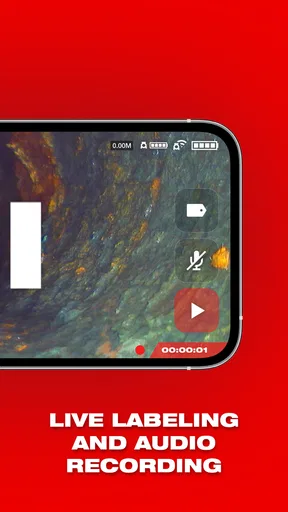
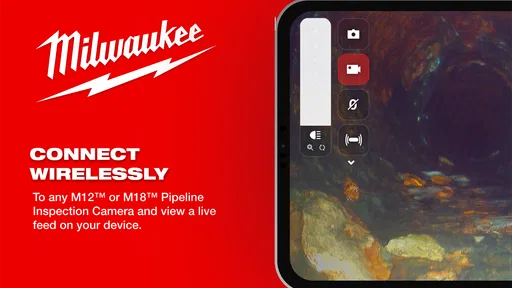
Our Review of Milwaukee® Pipeline Inspection
 Analysis by Appyee
When a blocked or damaged pipeline needs inspection, the difficult part is rarely just looking inside it. The real challenge is turning what the camera sees into information that another person can understand and act on. Milwaukee® Pipeline Inspection is built for that narrow, practical situation. I approached it as a field companion for the Milwaukee pipeline inspection system rather than as a general home-maintenance app, and that distinction matters from the first screen.
This is a free House & Home app from Milwaukee Tool, aimed at people working with the company’s inspection equipment. Its store summary introduces it as a pipeline inspection system app, while the short description simply identifies it as Milwaukee Pipeline. That modest presentation is useful: it does not pretend to replace the camera, the operator, or the repair decision. Instead, its value depends on how well it fits into the workflow surrounding an inspection.
I would recommend looking at it as a communication tool as much as a viewing tool. A technician may be the person holding the equipment, but the person deciding whether to excavate, clear, repair, or return later may be somewhere else. The app becomes worthwhile when it helps those people work from the same inspection rather than relying on a hurried verbal explanation.
From a suspected blockage to a usable inspection
I’d begin by defining what the inspection needs to establish, then use that question to guide the camera work and the review afterward. In my experience, a suspected blockage is easier to discuss when the operator separates what is plainly visible from what still needs interpretation. That distinction also sets up the next section: how to turn a field view into an inspection someone else can use.
The starting condition is more important than the screen
A realistic job might begin with a slow drain, a recurring backup, or a suspected obstruction in a line that cannot be assessed from the surface. Before opening the app, the operator already needs the appropriate Milwaukee inspection hardware and a clear reason for sending the camera through the pipeline. The app is not a substitute for that preparation, and someone expecting a standalone diagnostic utility will probably be disappointed.
That limitation is also what makes the product specific. Ordinary phone cameras, notes apps, and messaging services can record observations, but they do not form the same connection to a dedicated pipeline inspection workflow. With this app, the phone or tablet is part of a larger equipment setup. The useful question is not “Can this app inspect a pipe by itself?” but “Can it make an inspection session easier to view, understand, and pass along?”
In my view, the best preparation is to decide what outcome the inspection must support. If the goal is to locate a blockage, the operator needs to pay attention to the point where the obstruction appears and the surrounding condition of the line. If the goal is to explain a repair recommendation, the important evidence may be a damaged section, a joint, or a change in the pipe’s interior. The app can support the observation, but it cannot decide what evidence the job requires.
How the inspection flow fits together
The practical flow starts with connecting the inspection system and opening the app before entering the pipeline. I would treat this as a deliberate setup stage rather than something to do while already working in a cramped or wet area. Confirming that the mobile device is ready, the inspection equipment is functioning, and the person receiving the information knows what is being investigated reduces avoidable interruptions once the camera is moving.
During the inspection, the operator’s attention is divided. One part of the job is guiding the equipment; another is interpreting what appears on screen. That is where a dedicated app can be more useful than a casual video viewer. The screen is being used in the context of pipeline work, so the operator can keep the inspection tied to the physical progress of the camera instead of treating the footage as an unrelated recording.
A good working habit is to pause at meaningful changes rather than rushing continuously through the line. When the view changes from a clear section to a suspected obstruction, or when a defect becomes visible, the operator should give the image time to be understood. This is not a feature claim; it is a workflow tip. Inspection evidence is far easier to hand off when the important moment is clear than when it is buried in a fast, confusing sequence.
I also found that the app should be used with a simple verbal or written description of the job context. A view of a pipe can be difficult to interpret later if nobody remembers which branch was inspected, what symptom led to the visit, or what decision the image was meant to support. Even when the app handles the inspection view well, the surrounding human notes still matter.
The handoff is where the app earns its place
Pipeline inspection often involves more than one person. The operator may report to a supervisor, a plumber may need to explain the finding to a property owner, or a service team may need to decide whether another visit is justified. In those situations, the app’s strongest role is helping the inspection move from the person at the pipe to the person responsible for the next step.
This handoff should be treated as a separate stage, not an afterthought. The operator can identify the relevant portion of the inspection, explain what was visible, and connect that observation to the problem reported at the start. A clear handoff avoids a common failure in field work: one person sees a detail, but the next person receives only a vague conclusion such as “the line looks bad.”
There is a useful trade-off here. A dedicated inspection app may make the technical session more coherent than a collection of camera footage and phone notes, but it does not automatically create a complete report for every audience. A technician who knows the equipment may understand the screen quickly. A homeowner may need plain-language explanation. A manager may need a concise decision and a reason. The app supports the evidence, while the person conducting the handoff still has to translate it.
For that reason, I would not rely on the app alone as the entire customer conversation. I would show the relevant inspection view, explain what can actually be seen, and separate visible evidence from professional interpretation. That approach is especially important when the inspection may lead to expensive work. A camera image can support a recommendation, but it should not be presented as more certain than it is.
What a successful result looks like
The result of a good session is not merely that the camera reached a point in the pipe. The useful outcome is a shared understanding of what was inspected and why the next action makes sense. That might mean identifying a likely obstruction, clarifying that a suspected area needs further attention, or giving another person enough visual context to plan the next visit.
Milwaukee® Pipeline Inspection is most convincing in this middle layer between equipment and decision-making. It is not the repair itself, and it is not a general-purpose household organizer. It is part of the path from an inaccessible pipeline to an inspection that can be discussed with more confidence. For professional users, that focus is a strength because the app does not need to compete with unrelated home features.
There is also value in using the same workflow repeatedly across service calls. The operator can approach each inspection with the same sequence: understand the complaint, prepare the equipment, inspect carefully, pause around important findings, and hand over the result with context. Consistency makes training easier and reduces the chance that a useful observation is lost simply because one job was handled differently from the previous one.
Three practical insights that are easy to miss
First, the person operating the system should agree on the inspection objective before starting. This sounds obvious, but it changes how the session is conducted. Looking for a blockage is different from documenting a suspected structural problem, and a vague objective often produces footage that is technically complete but difficult to use.
Second, the handoff should happen while the inspection details are still fresh. If the operator waits until later to explain the important moment, small distinctions can disappear: whether the camera view was partially obstructed, whether the finding was continuous, or whether the issue appeared only at a particular point. A short immediate explanation can be more useful than a longer summary reconstructed afterward.
Third, the app is best treated as one part of a controlled field workflow, not as permission to skip basic job discipline. Keep the device positioned where the operator can see it without losing control of the equipment, avoid making decisions from a single ambiguous view, and distinguish a confirmed observation from a suspicion. These habits protect the quality of the result more than any attractive interface detail.
Where the flow becomes frustrating
The first friction is the app’s narrow audience. If you are a homeowner hoping to investigate a drain with only a phone, this is not the right choice. It is tied to Milwaukee’s pipeline inspection context, so its usefulness depends on access to compatible equipment and on knowing how that equipment is used. A general plumbing guide or a service professional will be more appropriate for someone who only wants basic troubleshooting.
The second issue is that a dedicated field app can add another layer to an already busy job. The operator must manage the inspection system, the mobile device, the physical pipeline, and the conversation around the finding. In a clean setup, that integration is helpful. In a rushed job, poor connectivity, an awkward device position, or an unclear handoff can make the process feel heavier than simply explaining the issue verbally.
The third limitation is interpretive rather than technical. A clearer inspection view does not remove uncertainty from difficult pipelines. Visibility can still be affected by the condition of the line, the position of the camera, and the operator’s ability to recognize what is being shown. I would be cautious about treating a single image as a final diagnosis, particularly when the recommended work is disruptive or costly.
There is also a practical audience mismatch. A small maintenance team already committed to Milwaukee equipment may appreciate a focused companion. A company using another inspection ecosystem may gain little from adding this app unless the broader equipment workflow justifies the change. In that case, the usual alternative is not another generic app; it is the inspection platform already used by the team, because consistency across hardware, operators, and reporting may matter more than switching to a new interface.
Compatibility, cost, and everyday expectations
The app is free, carries an Everyone content rating, and supports devices running Android 7.0 or newer. Those details make it relatively easy to consider from a software-cost perspective, especially for a business that already owns the relevant Milwaukee inspection equipment. The absence of an app purchase price does not mean the complete inspection setup is free, so I would separate the cost of the mobile software from the cost of professional hardware and service work.
The current version is 2.1.2, and the app was released on February 21, 2021. For someone evaluating it today, the important practical point is to check that the intended device and inspection system fit the current workflow before arriving at a job. A compatible operating system is only one part of a successful field setup; the operator also needs a device that is comfortable to use and a working equipment connection.
Its public footprint is still fairly modest, with over ten thousand installs and a 3.5 average from around thirty ratings. There are around fourteen written reviews. I would read that as a reason to judge the app by the actual Milwaukee inspection workflow rather than by popularity alone. A specialized tool can be useful to the right crew without being broadly relevant to ordinary phone users, but a smaller user base also means less community guidance when a workflow question appears.
Who should use it, and who should skip it?
I see the strongest fit for plumbing professionals, maintenance teams, contractors, and property-service workers who already use Milwaukee’s pipeline inspection equipment. It can be especially helpful when an inspection has to be explained to someone who was not present at the pipe, because the mobile device becomes a shared reference point instead of leaving the decision to memory.
It may also suit a supervisor who wants a more consistent way for technicians to conduct and discuss inspections. The benefit is not that the app magically standardizes judgment. The benefit is that a repeatable viewing and handoff routine can encourage technicians to focus on the same stages of a job and communicate findings with more structure.
I would skip it if you only need occasional household advice, a checklist for unclogging a sink, or a general camera app. It is also a poor fit if your team does not use the associated Milwaukee inspection setup. In those cases, the app’s specialization becomes overhead rather than an advantage. A general troubleshooting resource, a local professional, or the inspection tools already adopted by your organization would be the more sensible route.
My final assessment of the complete workflow
After looking at the process from the initial complaint to the final handoff, I think Milwaukee® Pipeline Inspection succeeds when the job is already centered on Milwaukee pipeline inspection equipment and the main need is to make the inspection easier to follow. Its value is practical and operational: it helps connect what the operator sees inside the line with the person who must decide what happens next.
I would not describe it as a universal home app, and I would not install it expecting the software alone to diagnose a pipeline. The physical equipment, operator skill, inspection objective, and explanation afterward remain essential. That honesty is important because the app’s narrow purpose is both its main strength and its clearest boundary.
For the right user, the free price and focused design make it worth trying as part of an existing Milwaukee setup. For everyone else, the better choice is an alternative that matches the equipment and workflow already in use. My recommendation is therefore conditional but positive: if your work begins with Milwaukee pipeline inspection hardware and ends with a finding that must be communicated clearly, this app has a sensible place in the chain.
Verdict
Strengths of Milwaukee® Pipeline Inspection
- Provides structured pipeline inspection workflows for field teams.
- Supports consistent documentation of inspection findings and assets.
- Can improve communication between inspectors and office staff.
- Designed for professional utility and infrastructure operations.
- Helps centralize inspection information in one mobile workspace.
Limitations of Milwaukee® Pipeline Inspection
- May be useful only to organizations using Milwaukee’s inspection ecosystem.
- Requires staff training to use advanced inspection features effectively.
- Field performance may depend on device compatibility and camera quality.
- Some features may require an account or organizational access.
- Not intended for casual users or general-purpose home inspections.
Similar Picks in This Category
View All
Universal TV Remote Control
CodeMatics Media Solutions3.9

AlfredCamera Home Security app
Alfred Systems Inc.4.7

Planner 5D: AI Home Design
Planner 5D4.5

Universal Tv Remote-Cast to TV
One Music Player4.1

Zillow: Homes for Sale & Rent
Zillow Group4.8

99acres Buy/Rent/Sell Property
infoedge.com4.3
Frequently Asked Questions
What is Milwaukee® Pipeline Inspection used for?
Milwaukee® Pipeline Inspection is designed to support professional inspections of pipes, drains, and other hard-to-reach areas using compatible Milwaukee inspection equipment. The app can help users view live camera footage, examine conditions inside a pipeline, capture images or video, and document findings more efficiently than relying on a separate monitor or handwritten notes. Its usefulness depends on the specific Milwaukee inspection system and accessories being used.
Which devices and equipment are compatible with Milwaukee® Pipeline Inspection?
Compatibility is an important consideration before downloading the app. Milwaukee® Pipeline Inspection is intended for use with supported Milwaukee pipeline inspection cameras and related hardware, rather than functioning as a standalone inspection tool. Users should check the app listing, product documentation, and equipment requirements for their region to confirm compatibility. A compatible phone or tablet, wireless connection, and supported operating-system version may also be required.
Does the app require an internet connection to inspect pipelines?
The app may not need continuous internet access once it is installed and connected to compatible inspection equipment, because the camera feed is generally handled through a direct or local wireless connection. However, internet access can still be necessary for downloading the application, installing updates, accessing support materials, or sending saved reports through online services. Connection behavior may vary depending on the Milwaukee hardware and the device being used.
Can I record videos, take photos, or save inspection results with the app?
Milwaukee® Pipeline Inspection is intended to make field documentation easier by allowing users to capture visual evidence during an inspection, where supported by the connected equipment and app version. Photos and video can be useful for reviewing damage, sharing findings with customers, or preparing maintenance records. Before relying on it for official documentation, users should verify available export, storage, file-format, and sharing options on their specific device.
Is Milwaukee® Pipeline Inspection suitable for homeowners or mainly professionals?
Although a homeowner may be able to install the app, Milwaukee® Pipeline Inspection is primarily aimed at tradespeople, contractors, plumbers, utility workers, and other professionals who use compatible pipeline inspection equipment. The app itself does not replace the camera system, technical knowledge, or safe working procedures required for a proper inspection. Casual users should confirm that they own the necessary Milwaukee hardware before downloading it for a practical purpose.
